
Installing the ADDS (Active Directory Domain Services) Server Role
In this lesson you are going to learn how to build an Active Directory domain an by installing the Active Directory Domain Services role.
Domain Controller Prerequisites
Before you install the AD DS server role you need to make sure that your server has a static IP address.
Step 1. Run ipconfig /all
If you’re not sure about what IP you should assign you can open CMD and run the “ipconfig /all” command.
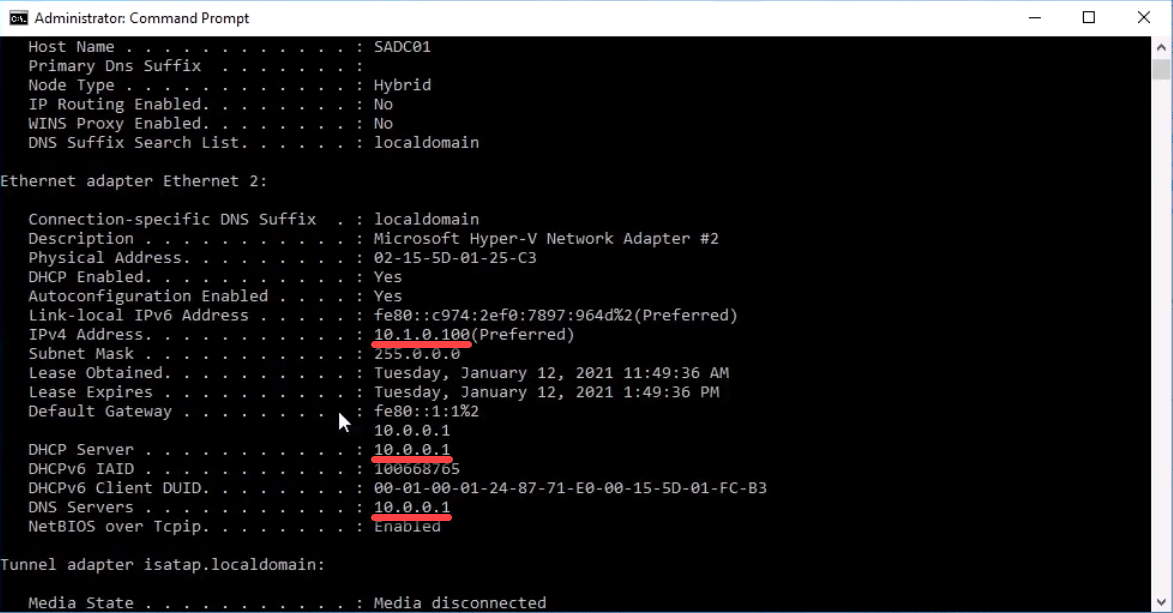
Once you run the command look for the: IPv4 Address, DNS Server and Default Gateway.
Step 2. Assign a static IP address to your domain controller
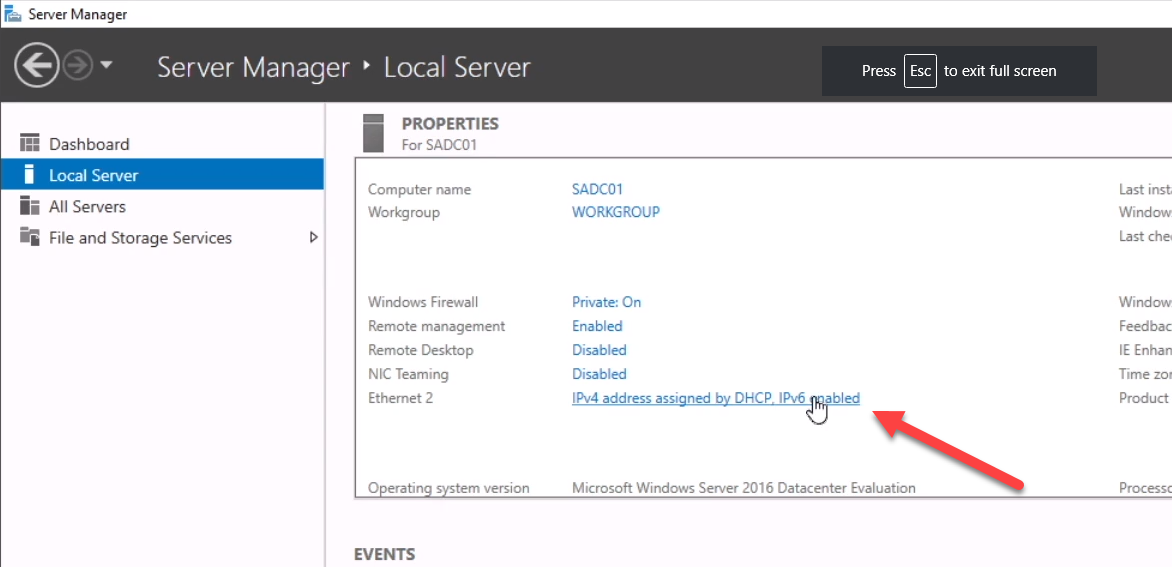
To assign a static IP address open Server Manager and click the blue text next to your ethernet adapter:
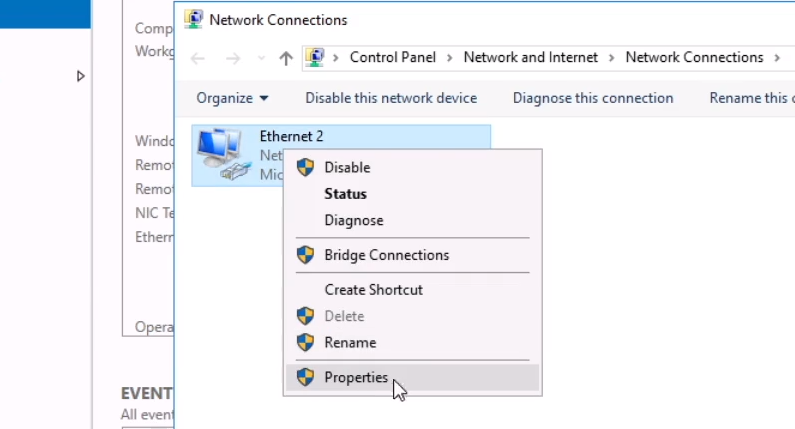
Now you right-click your ethernet adapter and select Properties:
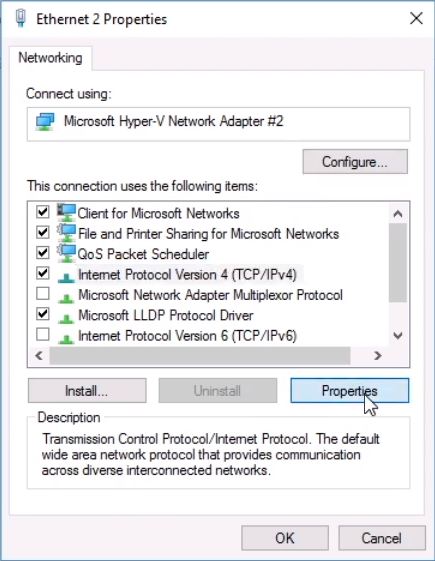
Turn off IPv6, select IPv4 and click Properties:
Enter your desired IP information using what you got from the ipconfig /all command above. I am going to use the following settings:
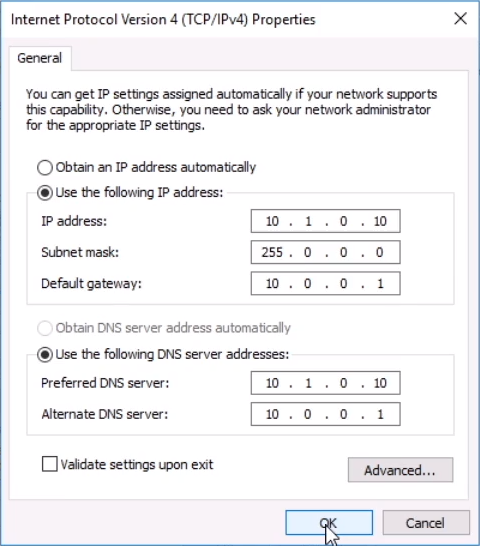
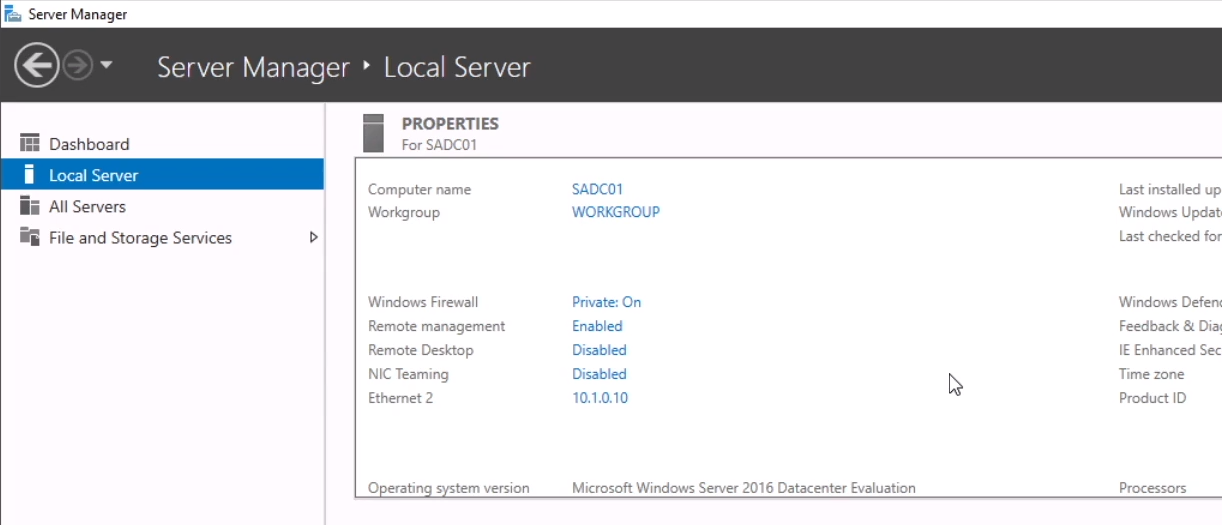
Click OK and close the network windows and dialogs. Refresh Server Manager. You should now see your static IP address assigned to your server:
Step 3. Test your network connectivity
It’s a good idea to make sure you still have network connectivity before proceeding on to the next step. You can test this by opening your web browser and making sure you still have internet connectivity (…
Edited on Apr 14, 2026 at 9:32 AM
Reaching out to ask about the labs again, last week it was up and running, but now I'm getting a "lesson doesn't match this IT lab" I just want to do a little practice. Do you know when this will be resolved? And will this happen often?
Hey,
TLDR; it should be working now. If not please report back here.
We had to rebuild our system from scratch and finally came to a working design in the past few weeks. The "lesson doesn't match this IT lab" issue was fixed last night. We are currently rebuilding most of our IT labs now that we have a working system in place.
Thanks for your patience and understanding.
Paul