
Disabling and Deleting User Accounts
In this lecture, I am going to be showing you how you can Delete and Disable user accounts within Active Directory.
We are going to create a new OU and call it Disabled Users.
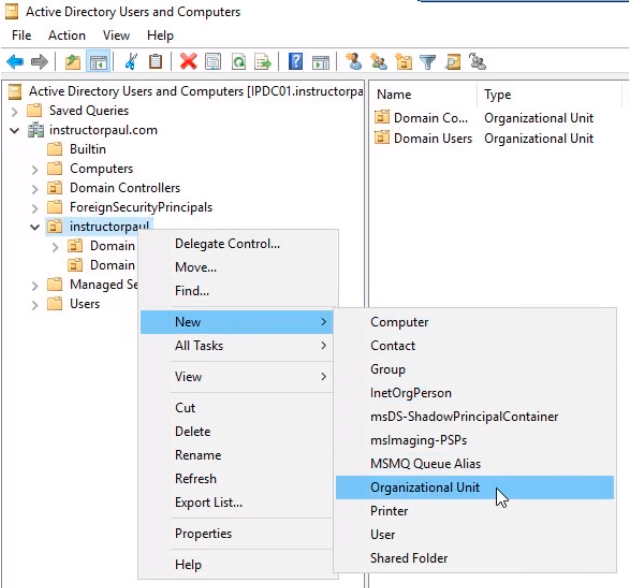
Open Active Directory Users and Computers and under the instructorpaul.com domain right-click instructorpaul OU and select New > Organizational Unit.
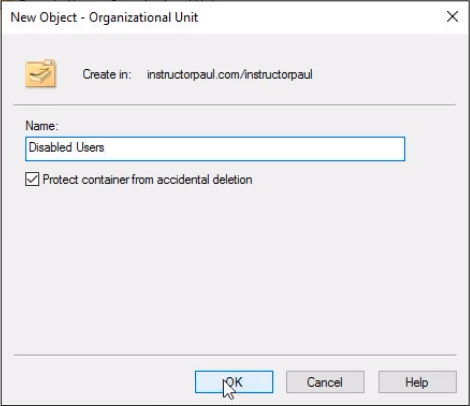
Name it Disabled Users and click OK.
Alright, we are going to pretend we have a work policy that when a user is Disabled we are going to move the user account to this OU.
There could be a couple of reasons for that: It is easy to tell if a user account is disabled by looking at it in the OU. Most companies do not allow you to delete the account unless the user has been terminated or has been off the network for a couple of days. There might be many reasons and if the users come back to work for the company or to the network we can easily enable them.
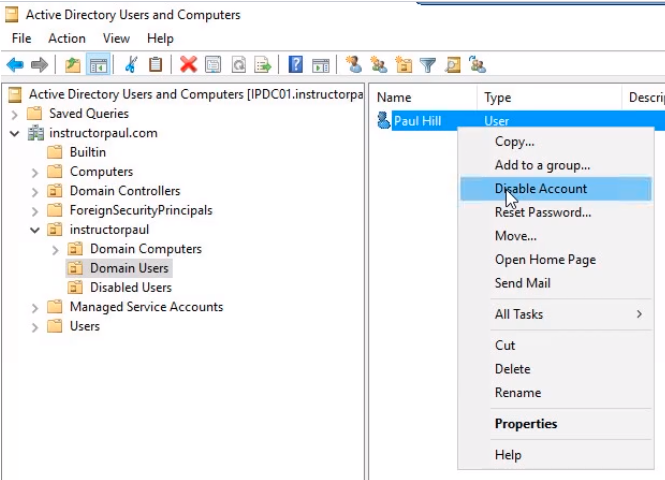
What we are going to do is to disable Paul Hill’s user account. Click on Domain Users and right-click on Paul Hill user account and select Disable Account.
You will see a confirmation message that the account has been disabled. Click OK.

Now, if you notice the user account has a Down Arrow. And that is how you can tell if a user account is disabled.
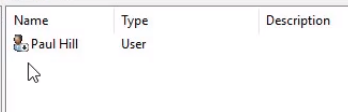
Now what we need to do is drag and drop the user account onto the Disabled Users OU. You will bet a pop up like the following:
Click Yes to continue.
No comments yet. Add the first comment to start the discussion.