
Creating and Restoring Active Directory Snapshots
Active Directory Snapshots are a tool you can use to query old Active Directory data. It’s not a complete backup system - but rather allows you to access older versions of your Active Directory. This would allow you to use other tools to perform disaster recoveries as needed.
Snapshots work like this:
- Create a job to create snapshots
- Mount a snapshot to an alternate port
- Connect to that alternate port and view your old data
To create a new snapshot we need to open Command Prompt as an administrator and run the following commands:
Activate Instance NTDS
create
q
q
I am using one of Server Academy’s IT labs that are provided to all of our members for testing purposes. These labs are perfect since I don’t have to worry about losing data. If I mess up all, I need to do is click a button to revert the lab and I have everything back within minutes.
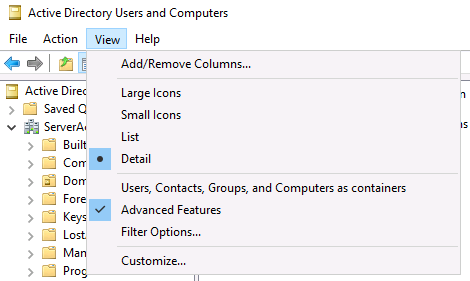
I am going to open Active Directory Users and Computers and make sure I have Advanced Features enabled:
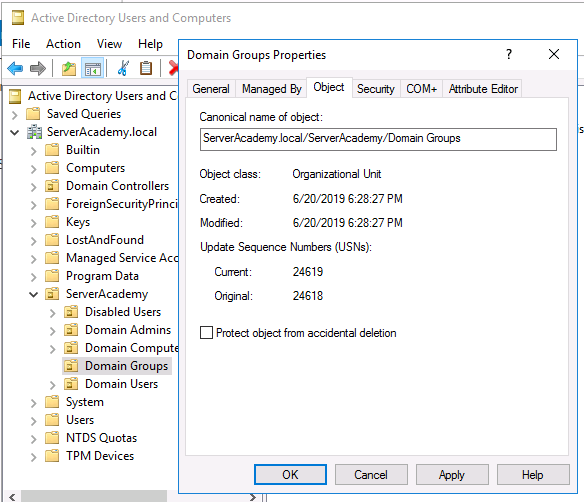
Next remove the deletion protection from an Organizational Unit by right-clicking the OU you want to delete, selecting properties, go to the Object tab and un-check Protect object from accidental deletion:
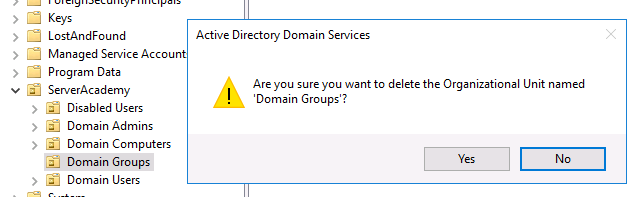
Im going to use an OU in my lab called Domain Groups. Once I remove the protection, I can right-click and delete the OU:
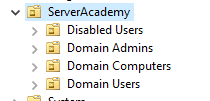
So now the OU is missing and I can get on to mounting the old snapshot:
We can use NTDS snapshotting to view the old data. Open CMD as an Admin again, a…
No comments yet. Add the first comment to start the discussion.