
Uploading objects in S3
In this lesson, we'll learn how to upload objects to the S3 bucket we created earlier.
To upload an object to your S3 bucket, in our target S3 bucket we will click on the Upload button:
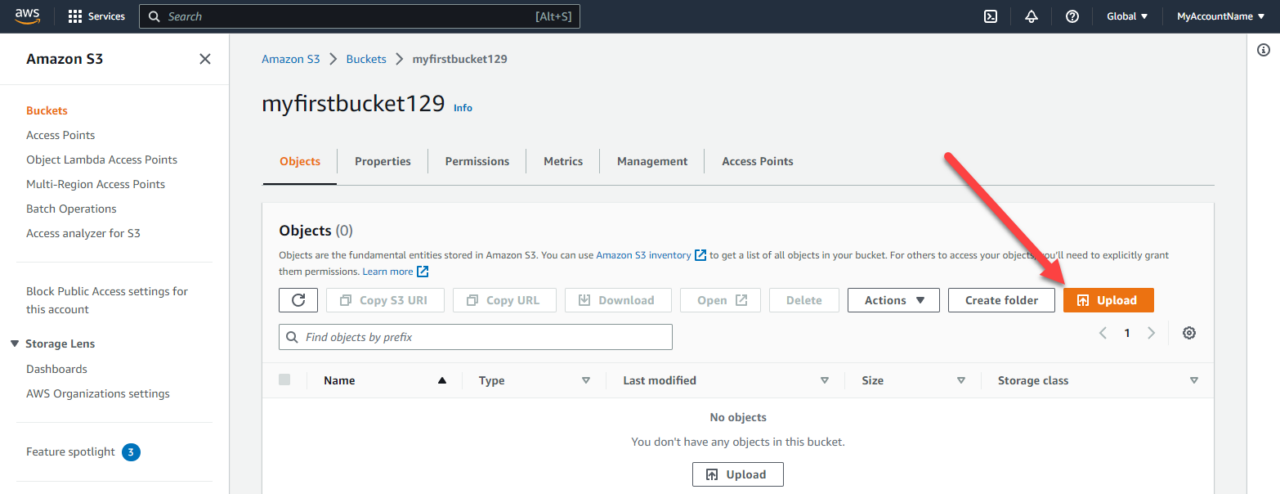 Upload an object to the S3 Object
Now we can click Add Files or Add Folder and select your desired files:
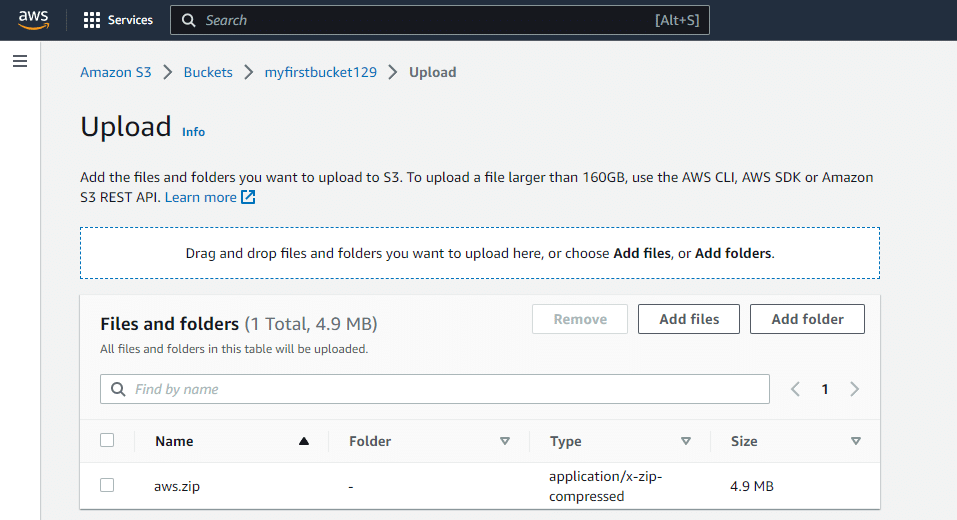 Add Files and Folders
You can expand the Destination details and view information about the files you are uploading as well as enable bucket versioning :
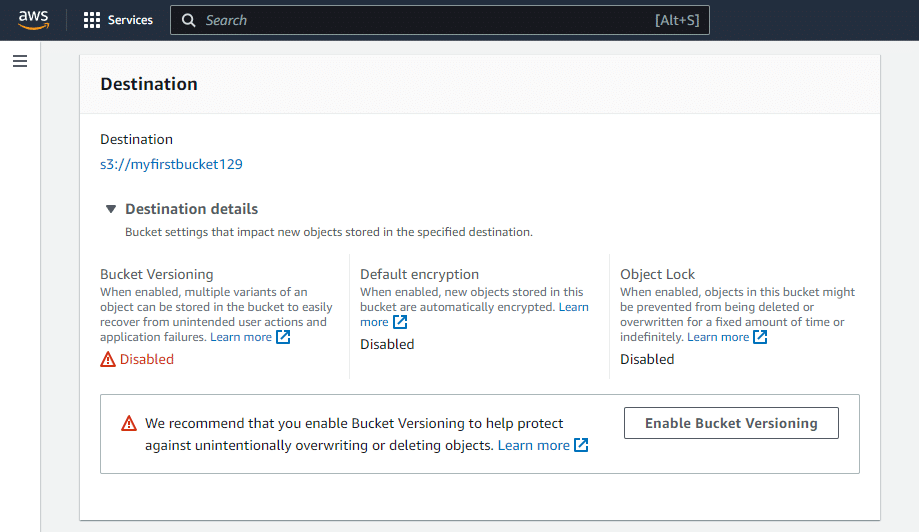 AWS S3 Destination
The next options we can define are the files storage class. I will leave mine at Standard since I do not have any specific speed or access requirements:
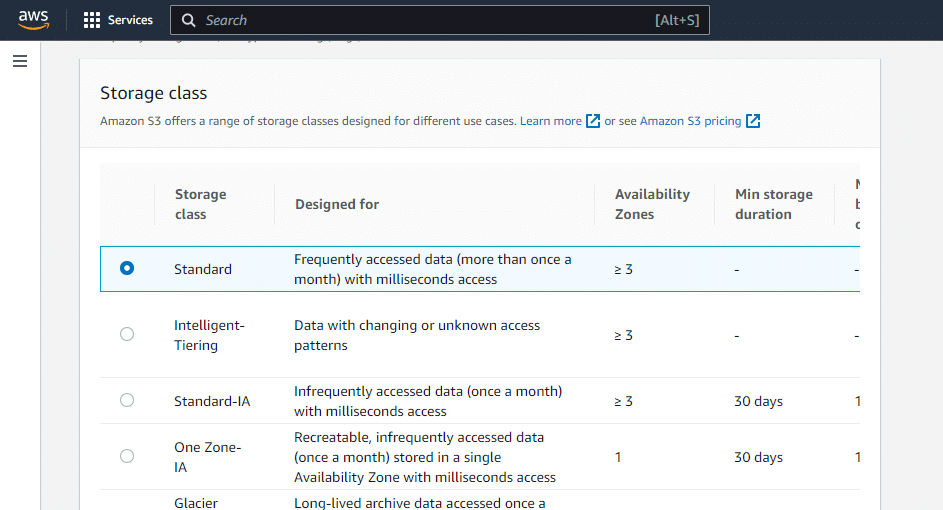 AWS S3 Storage Classes
Next, we have Server-side encryption. Again, if you have security requirements that require data-at-rest encryption, you can configure that here. I have no need for encryption, so I will leave this turned off for now.
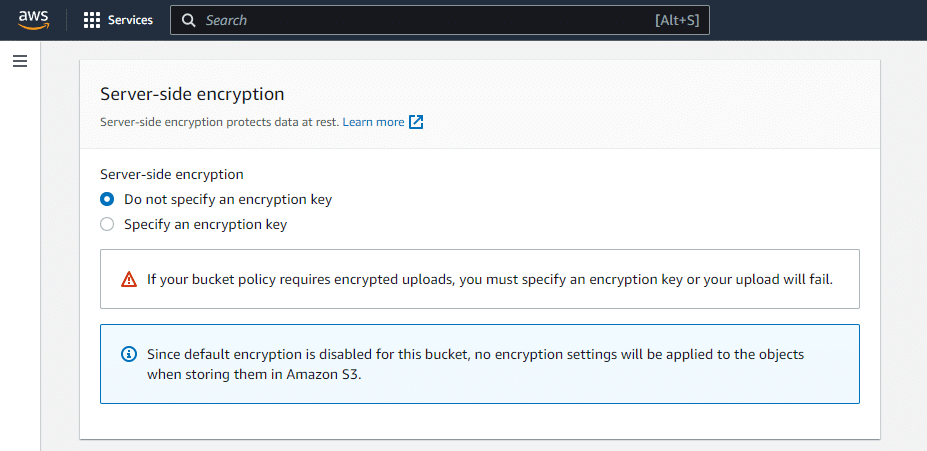 AWS S3 Server Side Encryption
Finally, you have Additional checksums, Tags, and Metadata, none of which we need:
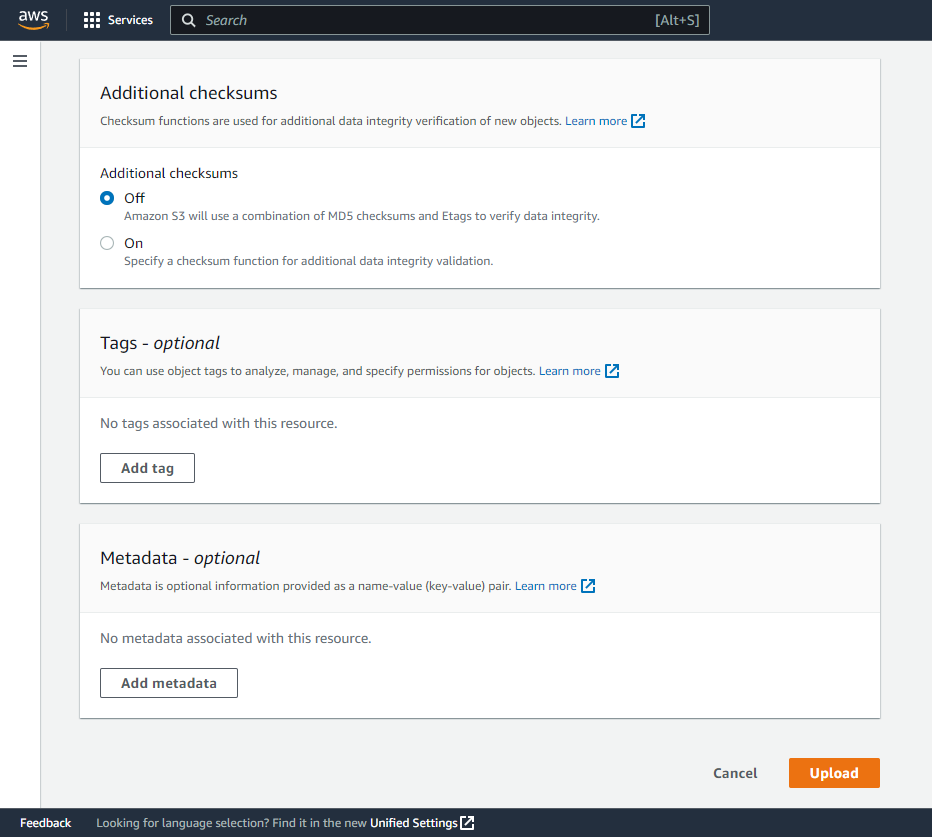 AWS S3 Checksums, Tags and Metadata
- Checksums : A checksum is a value that is calculated based on the contents of a file. S3 uses checksums to ensure that the data you upload to a bucket is not corrupted during transmission. Tags : Tags are key-value pairs that you can atta…
No comments yet. Add the first comment to start the discussion.