
Deleting S3 objects
To delete an object, first, choose the bucket that contains the object you want to delete. In my case, I will be selecting the myfirstbucket129 :
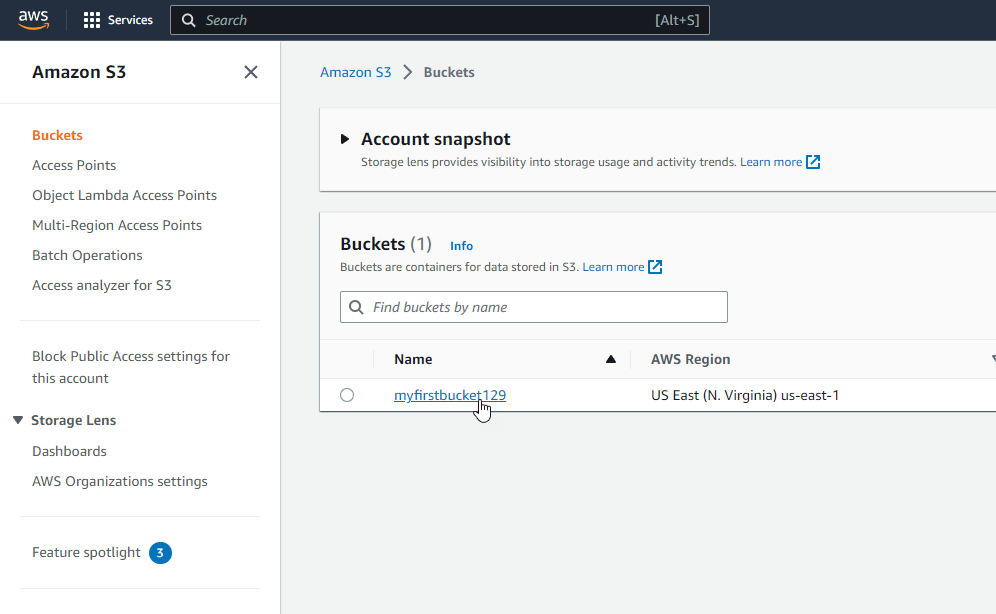 Select your AWS S3 Bucket
Next we should see if we have bucket versioning enabled or not. We can do that by going to the properties tab and scrolling down to note if we have bucket versioning enabled or not for this bucket.
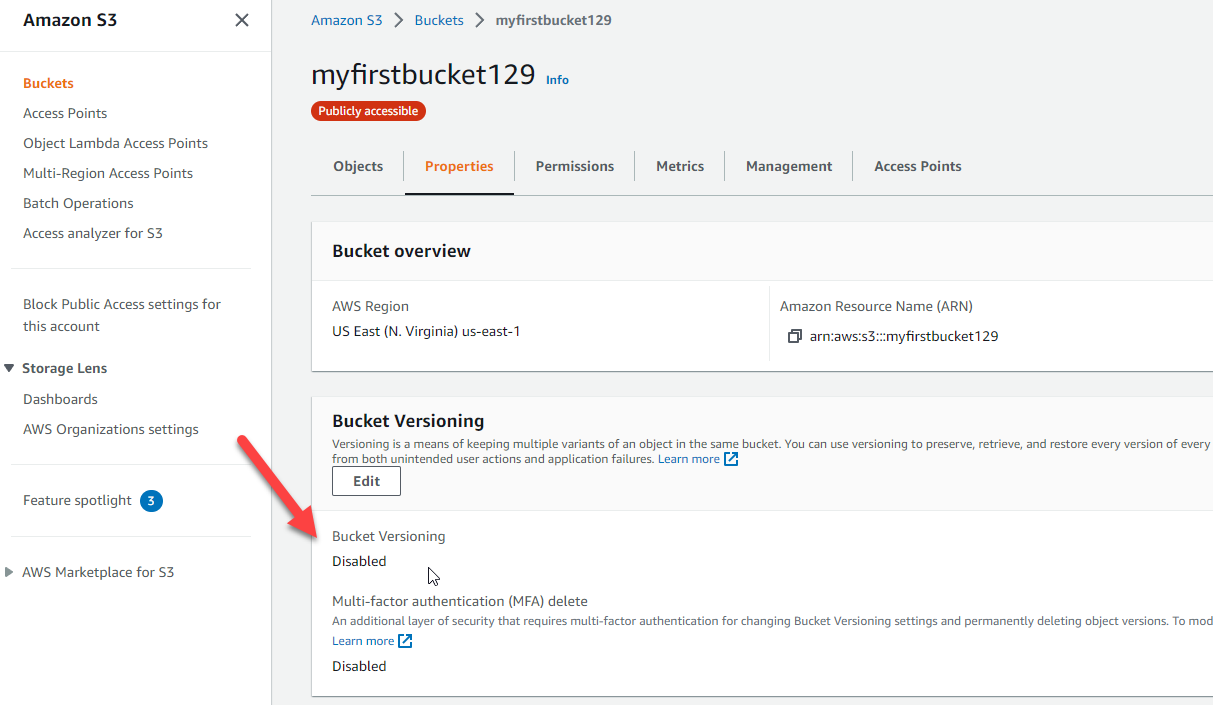 image 18
Once we've done that, we can go back to the objects tab and select the object and choose delete:
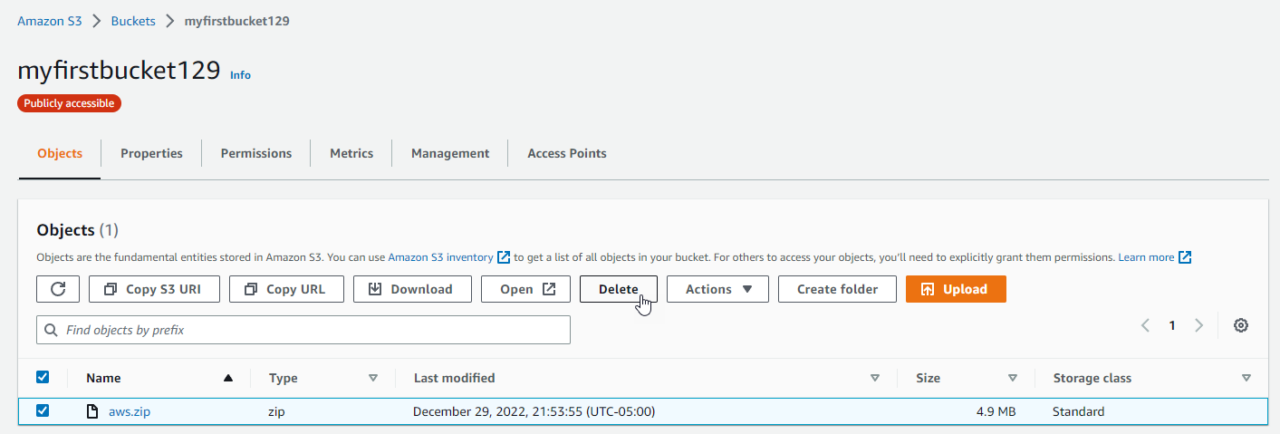 Delete an AWS S3 Object
Versioning Disabled
If you are deleting an object from a versioning-enabled bucket with versioning off, Amazon S3 will create a delete marker. To permanently delete the object, type "delete" in the text field and confirm your choice:
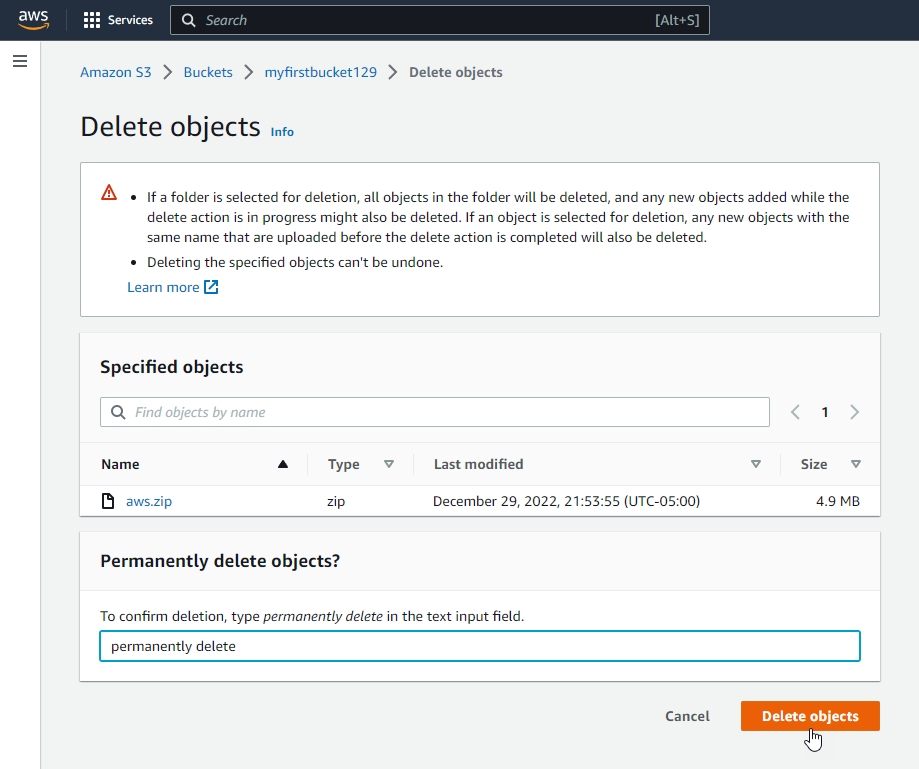 Permanently deleting an AWS S3 Object with Versioning Disabled
In case you didn't know, here is a quick explanation of what a delete marker is:
A delete marker in Amazon S3 is a placeholder for a versioned object that was named in a DELETE request. It allows Amazon S3 to behave as if the object has been deleted, even though it is still stored in the bucket.
What is an AWS S3 Delete Marker?
Versioning Enabled
If you are deleting an object from a versioning-enabled bucket with versioning on, Amazon S3 will permanently delete the object version.
To delete the object, select the object version that you want to delete and choose delete. Then, confirm your choice by typing "delete" in the text field.
![image 20](https://zrftqtvkikjkbtkf…
No comments yet. Add the first comment to start the discussion.