
Creating and managing S3 buckets
An S3 bucket is a logical container for your data in the cloud. It's similar to a folder in a traditional file system, and you can use it to store and manage any type of data, such as text, images, audio files, videos, and more. In this lesson, we are going to create an AWS S3 bucket.
Create an S3 Bucket
First, log into your AWS account and open the AWS S3 dashboard. Once there, click the Create bucket button:
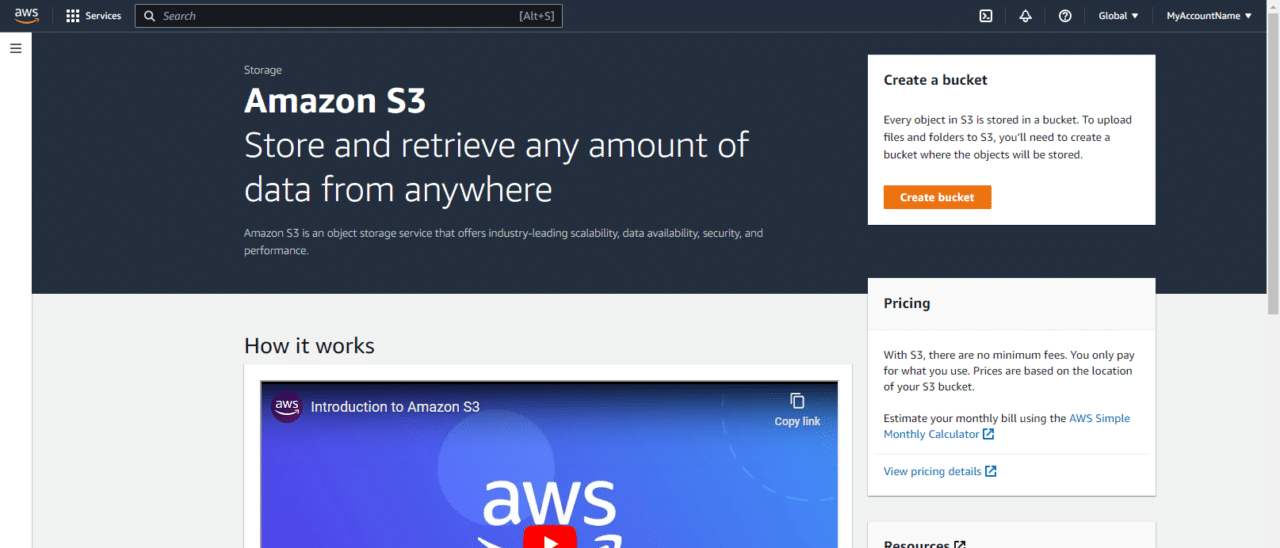 AWS S3 Dashboard
Alternatively, you can create an AWS S3 bucket from the buckets page:
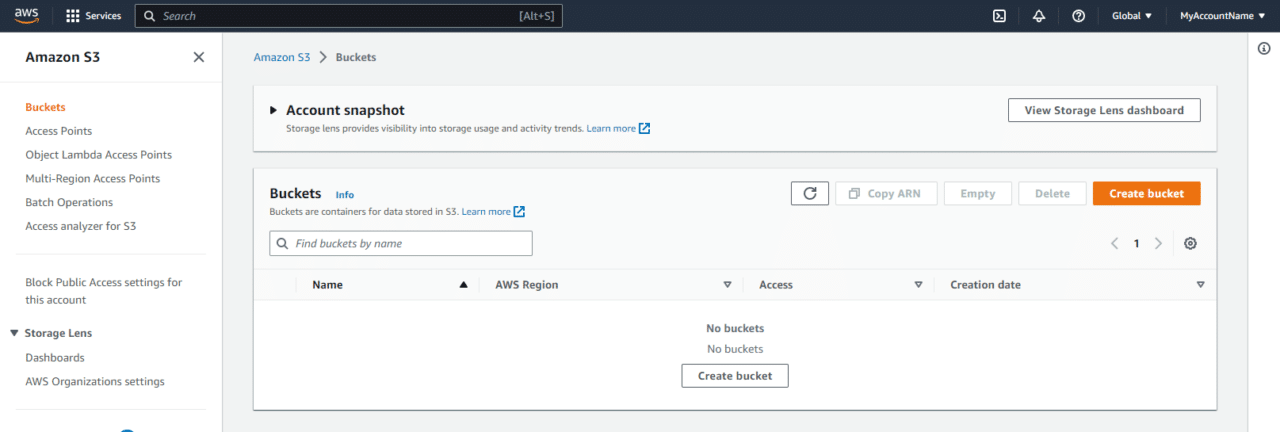 AWS S3 Buckets page
Next, I am going to enter myfirstbucket129 as the name.
The bucket name needs to be GLOBALLY unique. So you cant use a name like myfirstbucket because this has been taken by another user.
NOTE
I am going to chose us-east-1 as my AWS Region.
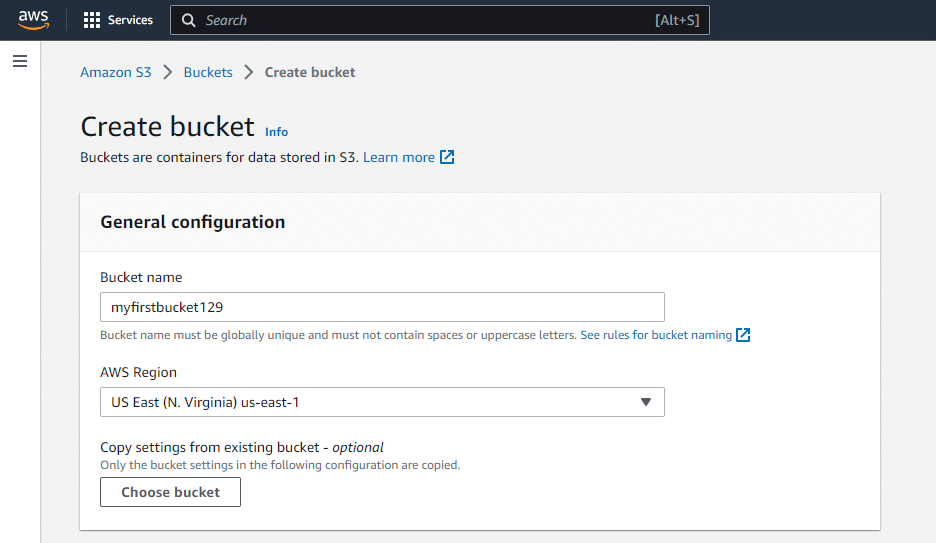 image 50
I am going to leave S3 ACLs disabled. Here is a little more information on S3 ACLs:
Amazon S3 Access Control Lists (ACLs) are used to grant read and write permissions to authorized users for individual buckets and objects. Each bucket and object has an ACL attached to it as a subresource, and the ACL defines which AWS accounts or groups are granted access and the type of access.
By default, when another AWS account uploads an object to your S3 bucket, that account (the object writer) owns the object and has access to it and can grant other users access to it through ACLs. However, you can use the Object Ownership feature to change this default behavior so that ACLs are disabled and you, as the bucket owner, automatically own every object in your bucket.
This means that access control for your data is…
No comments yet. Add the first comment to start the discussion.