
Configuring Domain Password and Account Lockout Policies with Group Policy
In this lecture, we are going to be setting up our Domain Password policies.
This is something you’re going to have to do if you work for a company that is very security conscious. It will prevent your users from using simple or unsecured passwords within your domain. Some people are just not security conscious at all and will use simple passwords, won't reset their passwords, etc. and it is understandable since it is difficult for them sometimes to be doing that. We are going to set this so that it is not an option for the users.
Open Server Manager > Tools > Group Policy Management.
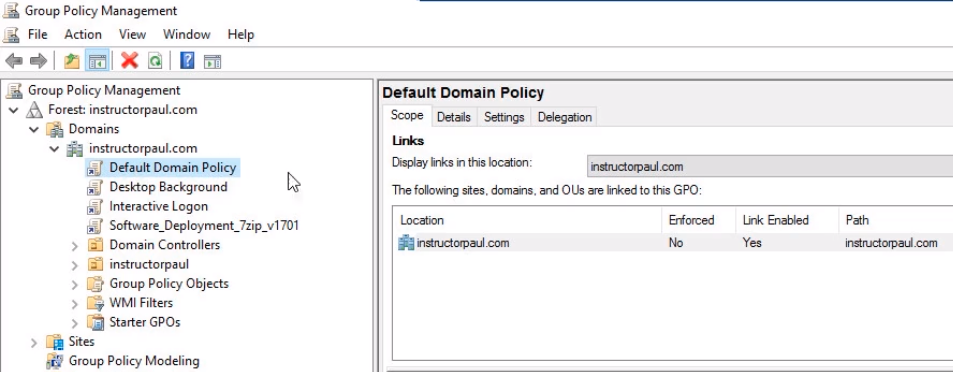
Note that on the Default Domain Policy clicking on the Settings tab we have password policies already configured by default in our domain.
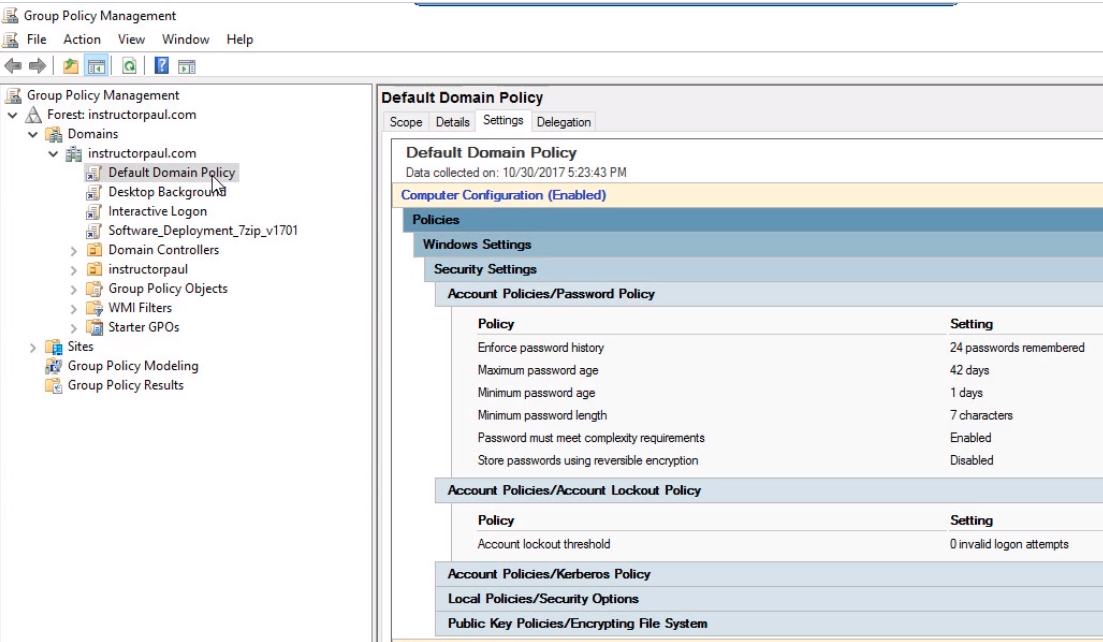
So, if you create a new GPO it is important for you to know that there is the Default Domain Policy that is also configuring these settings.
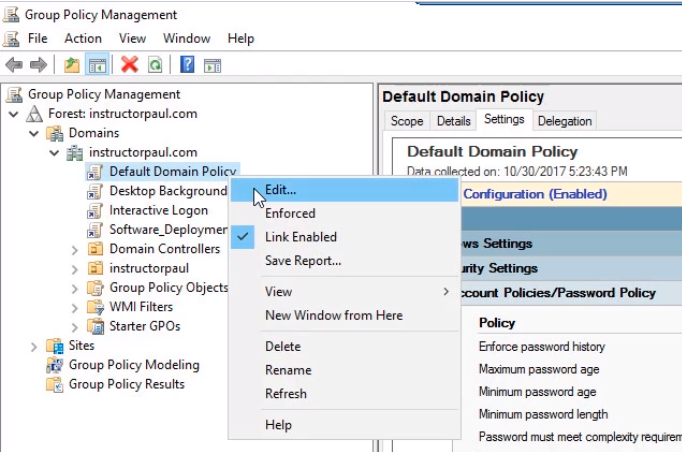
We are going to edit this policy. Right-click the Default Domain Policy and choose Edit.
Maximize the window and navigate to Computer Configuration > Policies > Windows Settings > Security Settings > Account Policies > Password Policy.
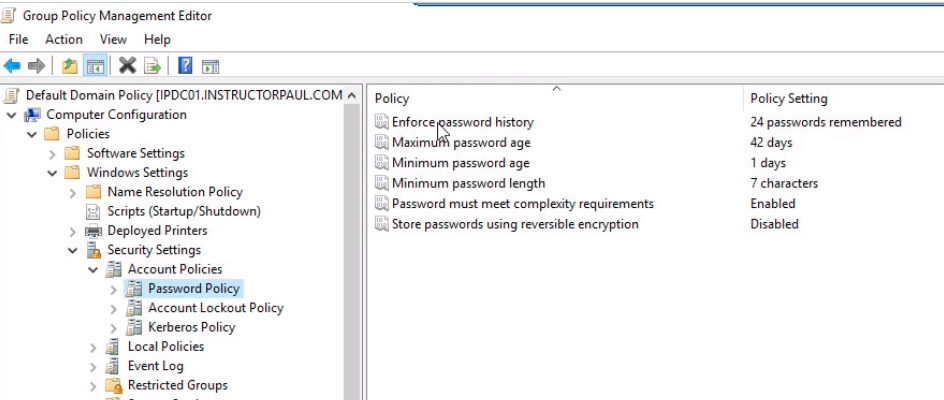
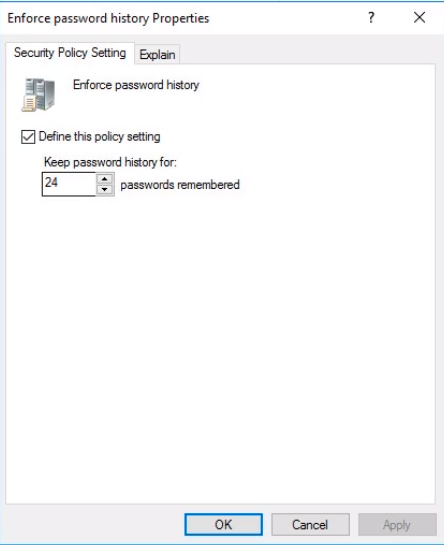
Double click on Enforce password history. This setting will remember our users' previous 24 passwords and will not allow them to reuse these passwords if they are creating a new password. We will leave it at the default since it is very much secure at that value. Click on OK.
Double click Maximum password age. This is goi…
No comments yet. Add the first comment to start the discussion.