
Deleting and Disabling Users
In this lecture, I'll be teaching you how to delete and disable Active Directory User accounts.
Now, we created this Disabled Users OU, currently, there are no users in this. So, let's go ahead and disable the Paul Hill User account. Now again, to do this, we are just going to hit the Find button up here and we are going to search for Paul Hill , and we are going to click Find Now.
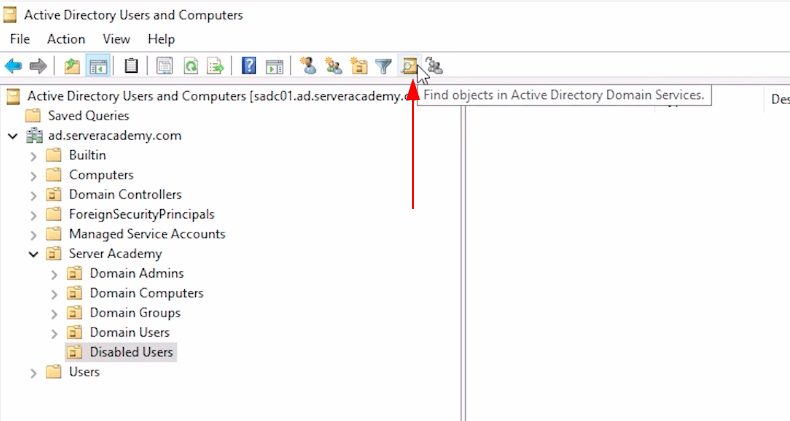 Active Directory Users and Computers - Disabled Users OU
 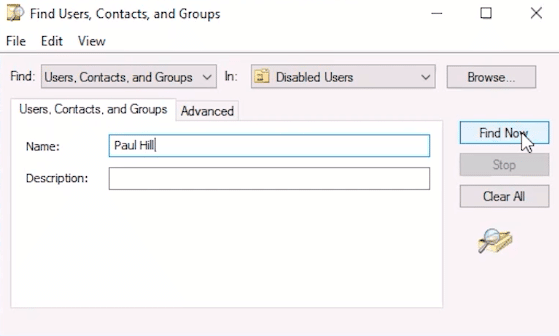 Find Contacts, Users, and Groups window
Again, nothing is showing up because I need to change the OU that I am searching In , and I'll just select the domain and hit Find Now.
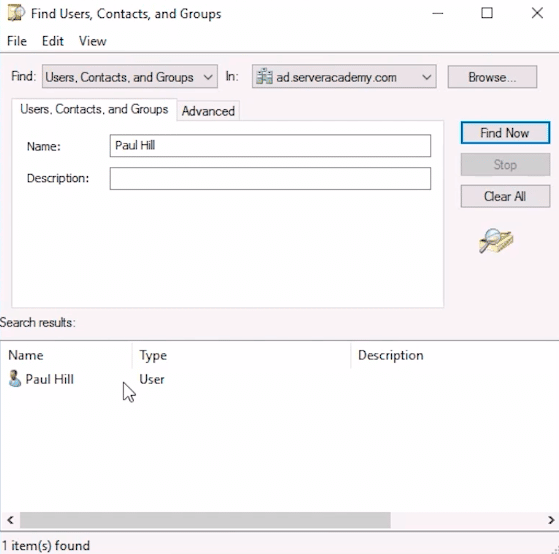 Find Contacts, Users, and Groups window - Paul Hill User Account
Here we have the Paul Hill user account. Now, what I am going to do is right-click and choose Disable Account.
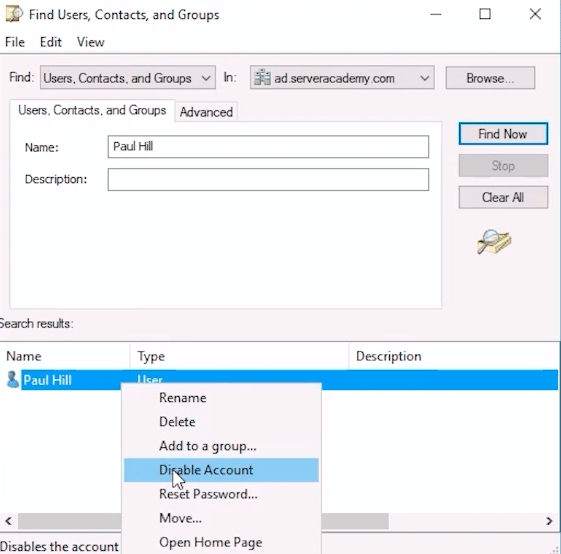 Find Contacts, Users, and Groups window - Paul Hill User Account
Now, if anybody tries to access this user account they are going to get a message saying "Sorry, this account is disabled you can't log in with it".
It's a good practice to move this user out of the Domain Users OU and put it in the Disabled Users OU. This is because it allows you to kind of double-check your work, meaning that, if you want a user account to be disabled it should be in this OU. That way if an account for so…
No comments yet. Add the first comment to start the discussion.